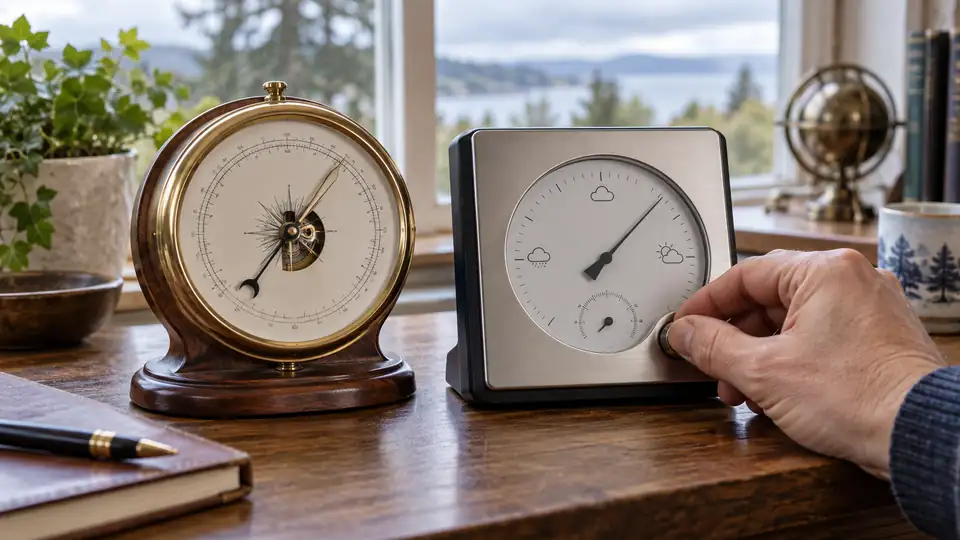
A barometer can appear inaccurate when the real problem is a mismatched pressure setting. A weather app may show sea-level pressure, while the console displays station pressure at the sensor’s elevation. Both values can be correct. Before changing an offset, identify what your weather station is reporting and compare it with a suitable reference under the same conditions.
Understand Which Pressure Your Station Displays
Most personal weather stations use an electronic pressure sensor in the indoor console, gateway, or outdoor sensor assembly. The sensor measures the air pressure at its location, but the display may show that reading directly or apply an elevation adjustment.
| Pressure type | What it represents | Why it matters during calibration |
|---|---|---|
| Station pressure | Air pressure measured at the station’s actual elevation | Useful for checking the sensor itself, provided the reference is at a similar elevation and location |
| Relative or sea-level pressure | Pressure adjusted to a common reference elevation, usually sea level | Useful for comparing stations at different elevations, but only when the elevation setting and adjustment method match |
| Pressure trend | The direction and amount pressure has changed over a selected period | It is a calculated interpretation, not a separate pressure measurement |
For example, a station in a hilltop home may display a lower station pressure than a nearby coastal weather station, even while both instruments are working properly. A phone app may show pressure reduced to sea level, so copying that number into a station-pressure display would create a false correction.
Prepare a Reliable Comparison
Calibration starts with comparison, not adjustment. Find out what the reference instrument or data source reports, how it is positioned, and whether its pressure has been reduced to sea level. A barometer inside the same building can be useful if its quality and calibration history are known. An unverified household gauge is a comparison point, not proof of the correct value.
A nearby official observing station can help, but distance, elevation, weather conditions, and pressure convention still matter. A weather station on a valley floor may differ slightly from one on a nearby ridge. An app may also combine data from an external network rather than displaying a direct reading from the nearest instrument.
Before comparing readings
- Check whether both readings use the same unit, such as hPa, mbar, inHg, or mmHg.
- Confirm whether both readings are station pressure or sea-level-adjusted pressure.
- Use readings taken at approximately the same time.
- Keep the reference and your station away from unusual heat sources, strong drafts, or enclosed spaces with changing air pressure.
- Allow the weather station to operate long enough for its reading to settle after startup, relocation, battery replacement, or a major indoor temperature change.
- Record several comparisons rather than reacting to one brief difference.
A pressure reading that changes during a passing weather system may differ from a reference recorded several minutes earlier. Likewise, a console restarted in an air-conditioned room may need time to settle. A short log of simultaneous readings gives you a much firmer basis for action than a quick glance at two screens.
How to Calibrate a Weather Station Barometer
The exact menu names and adjustment method depend on the station. Some models provide a pressure offset, while others ask for altitude and calculate relative pressure from station pressure. A few may limit user adjustment altogether. Use the following sequence as a general method, then match the final control to the instructions for your model.
- Record the current settings. Write down the displayed pressure, unit, pressure mode, altitude or elevation value, and any existing offset. Take a photograph of the settings if the console makes them difficult to remember. This gives you a way back if the adjustment produces an unexpected result.
- Identify the pressure mode. Look for labels such as station, absolute, relative, sea-level, or calibrated pressure. Do not assume that “barometer” identifies the mode. Some consoles cycle between readings with a button, while others place the choice in a setup menu or mobile application.
- Choose and prepare the reference. Use a known-quality reference barometer or a trustworthy observation that can be interpreted correctly. Place a local reference near the console when practical, or compare with an external station only after accounting for elevation and pressure convention.
- Take simultaneous readings. Record the station and reference values at the same time. Repeat the comparison after the readings have remained stable. If the difference changes substantially from one observation to the next, investigate exposure, timing, or sensor behavior before entering an offset.
- Calculate the required correction. If both devices report the same pressure type and use the same unit, the correction is generally the reference value minus the weather station value. For example, if the reference reads 1008.6 hPa and the station reads 1006.9 hPa, the apparent correction is +1.7 hPa. This example applies only when the two values are genuinely comparable.
- Apply the adjustment supported by the model. Enter the pressure offset only if the station provides that function. If the console uses an altitude setting instead, enter the correct elevation according to its manual rather than forcing a sea-level pressure value into an elevation field. A change to altitude can affect the displayed relative pressure substantially.
- Save the setting and verify it. Confirm that the display, app, and any connected history now show the intended pressure mode and unit. Compare the result with the reference again after the station has settled. A successful adjustment should produce a consistent relationship, not necessarily permanent agreement with every nearby report.
Suppose a console reads 29.78 inHg while a reference at the same location reads 29.84 inHg. If both are station pressure and the comparison is stable, the difference may support a small correction. If the console is showing relative pressure and the reference is showing station pressure, the same six-hundredths difference says very little about sensor accuracy.
Elevation Settings Can Look Like Calibration Errors
Elevation is one of the most common sources of confusion. Air pressure generally decreases as elevation increases, so a station at a higher location will report a different station pressure from an instrument closer to sea level. Relative pressure adjustments compensate for that difference to make readings easier to compare across locations.
Some stations ask for elevation in feet or meters. Others ask for a pressure value from a trusted local source. The correct entry depends on the model’s calculation method. If the station was moved from one property to another, or if its elevation setting was cleared during a reset, the barometer may appear consistently wrong even though the pressure sensor is functioning normally.
Changing the elevation setting simply to match a favorite weather app can create a hidden error. Check whether the app uses a regional observation, a sea-level reduction, or a forecast data source before using it as a calibration target.
How to Tell Calibration Problems From Other Pressure Issues
A steady, repeatable difference from a suitable reference may point to an offset or elevation-setting problem. A drifting, frozen, or erratic display calls for a different investigation. Calibration cannot repair a blocked sensor opening, failing electronics, corrupted configuration, or a console that is showing stale data.
| Observed behavior | Possible explanation | What to check next |
|---|---|---|
| The reading is consistently high or low | Incorrect pressure mode, elevation value, unit, or offset | Match the pressure convention and unit, then compare with a suitable reference |
| The reading changes normally but differs from an app | The app and station may use different locations or pressure reductions | Check the app’s data source and whether it displays sea-level pressure |
| The reading is frozen | Stale data, a communication problem, or a sensor fault | Check the last-update time, power, connection status, and model-specific diagnostics |
| The value jumps after a reset or battery change | Stored settings, altitude, unit, or pairing information may have changed | Review the configuration before applying a new offset |
| The reading fluctuates sharply indoors | Rapid temperature changes, airflow, handling, or a sensor issue | Let the console stabilize and inspect the sensor housing without opening it unnecessarily |
Do not cover, blow into, spray, or press on the pressure sensor opening to test it. Many barometers are sensitive electronic components, and forcing air into an opening can make diagnosis harder or damage the equipment. Check the manual before attempting any cleaning or disassembly.
When a Pressure Offset Is the Wrong Fix
A calibration adjustment is a poor solution if the comparison reference is unsuitable. A weather app may show a forecast value or a pressure reading from a station several miles away. A nearby airport may sit at a different elevation and use a different exposure. A second home barometer may have its own unknown error.
Weather changes can also create genuine differences. A storm front moving across a neighborhood may cause pressure to shift while you are comparing instruments. If the station and reference disagree by varying amounts during repeated checks, wait for steadier conditions and review the setup instead of averaging random values into one offset.
Be cautious with factory resets. Depending on the model, a reset can remove calibration offsets, elevation settings, Wi-Fi credentials, pairing information, alerts, or stored history. It is usually better to document the current configuration and correct one relevant setting at a time.
Verify the Barometer After Calibration
After applying a supported correction, check three things: the pressure mode is correct, the reading responds naturally over time, and the comparison remains reasonable against the same reference. A barometer does not need to match a distant app display every minute to be useful.
Keep a brief record containing the date, station reading, reference reading, pressure mode, unit, and weather conditions. A stable difference that repeats across several suitable comparisons supports a calibration decision. A difference that appears only during a single rapidly changing weather period does not.
Pressure trend features and forecast icons should be evaluated separately from calibration. They are calculated from recent readings and model-specific logic. A corrected pressure value can improve those calculations, but neither a trend arrow nor a forecast icon is a direct measurement of future weather.
If the barometer remains implausible after the pressure mode, elevation, unit, reference, and communication status have been checked, stop changing offsets and consult the exact model documentation or the manufacturer’s support channel. At that point, a sensor or console fault becomes more plausible than a simple calibration error.